Complete Guide to 4K IPTV Encoder Box: Everything You Need to Know
Also Read:
Introduction
Are you looking to transform your traditional broadcasting setup into a cutting-edge streaming solution? The 4k iptv encoder box has revolutionized how content providers deliver high-quality video streams to audiences worldwide. These powerful devices enable broadcasters to encode live video feeds into digital formats compatible with IPTV networks.
IPTV services are rapidly gaining popularity due to their numerous advantages over traditional cable TV. Users enjoy significant cost savings, unprecedented flexibility in content consumption, access to thousands of channels from around the globe, stunning HD and 4K quality streaming, and seamless multi-device compatibility. Whether you’re a content provider or a streaming enthusiast, understanding the technology behind IPTV encoding is crucial for optimal performance.
The 4k iptv encoder box serves as the backbone of professional IPTV operations, converting raw video signals into compressed, streamable formats. This comprehensive guide will walk you through everything you need to know about these essential devices and how they enhance your streaming TV experience.
Table of Contents
Equipment and Requirements
Setting up a professional IPTV system requires specific equipment to ensure smooth operation and high-quality output. Understanding these requirements is essential before investing in any IPTV infrastructure.
Essential Hardware Components
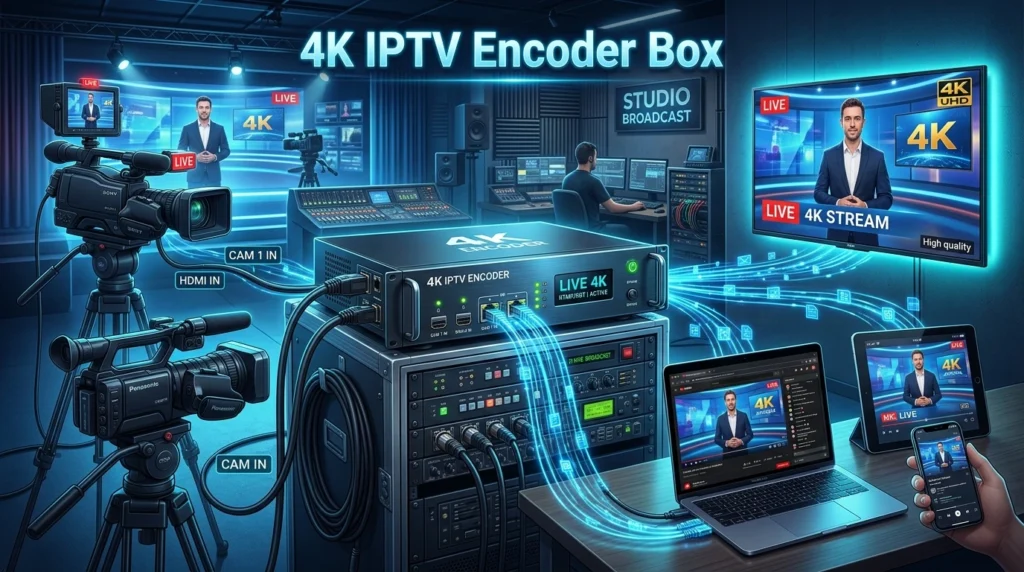
Video Input Sources form the foundation of your setup. You’ll need cameras, video mixers, or other broadcasting equipment that can output HD or 4K video signals. Professional setups often require multiple input sources for different content types.
Network Infrastructure plays a crucial role in IPTV performance. A stable, high-speed internet connection with sufficient upload bandwidth is mandatory. For 4K streaming, you’ll need at least 25 Mbps upload speed per stream, while HD content requires around 8-10 Mbps.
Receiving Devices complete the viewing chain. Users can access IPTV channels through various devices including Smart TVs, Android TV boxes, smartphones, tablets, or dedicated IPTV set-top boxes. Each device must support the streaming protocols used by your encoder.
Software Requirements
IPTV Applications serve as the interface between encoded streams and end users. Popular options include VLC Media Player, Perfect Player, IPTV Smarters, and Kodi with appropriate add-ons. These applications decode the streams and present them in user-friendly interfaces.
Active IPTV Subscriptions provide access to content libraries and streaming servers. Professional broadcasters often maintain their own content management systems, while smaller operations may rely on third-party IPTV subscription services.
Optional VPN Services enhance security and help bypass geographical restrictions. While not always necessary, VPNs protect both broadcasters and viewers from potential security issues and ensure consistent access to content.
Installation Time
The installation and configuration process for a 4K IPTV encoder system varies depending on complexity and experience level. Understanding realistic timeframes helps plan deployments effectively.
Initial Hardware Setup
Physical installation typically takes 2-4 hours for a basic setup. This includes connecting video sources, configuring network settings, and establishing initial encoder parameters. More complex installations with multiple encoders and redundancy systems may require 1-2 days.
Network configuration adds another 1-2 hours to the process. This involves setting up proper IP addresses, configuring streaming protocols, and testing bandwidth allocation. Professional installations often include network optimization and security configuration.
Software configuration requires 30-60 minutes for basic setups. Advanced configurations with custom streaming parameters, multiple output formats, and integration with content management systems can take several hours.
Testing and Optimization
Stream testing should account for at least 2-3 hours of the installation process. This includes verifying video quality, testing different devices, checking network performance, and ensuring stable connections across various viewing scenarios.
Fine-tuning and optimization may require additional time over the first few days of operation. Monitoring performance, adjusting encoding parameters, and optimizing for different content types ensures the best possible viewing experience.
Step-by-Step Guide to Set Up IPTV
Setting up an IPTV system with a 4k iptv encoder box requires careful attention to detail and systematic configuration. Following this comprehensive guide ensures optimal performance and reliability.
1. Install and Configure Your IPTV Encoder
Begin by connecting your video sources to the encoder inputs. Most professional encoders support HDMI, SDI, or composite inputs for maximum flexibility. Ensure all connections are secure and use high-quality cables to maintain signal integrity.
Configure the network settings on your encoder by accessing the web-based configuration interface. Set appropriate IP addresses, subnet masks, and gateway information that match your network infrastructure. Enable DHCP if your network supports automatic IP assignment.
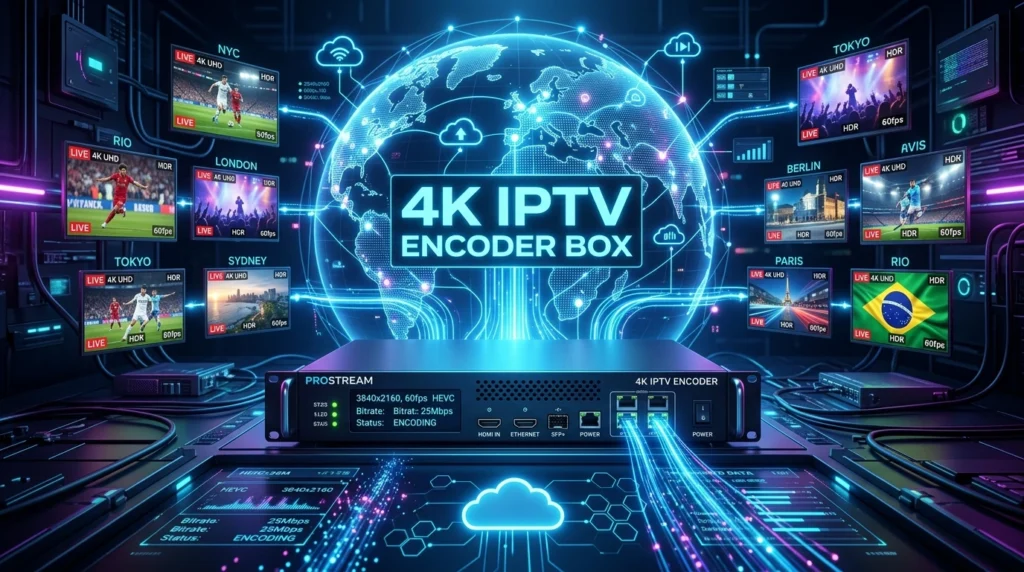
Set up the encoding parameters according to your content requirements. For 4K content, configure the resolution to 3840×2160, set the frame rate to 30 or 60 fps, and choose an appropriate bitrate (typically 15-25 Mbps for high-quality 4K streaming).
2. Add M3U Playlist or Configure Streaming Protocols
Create or configure your M3U playlist to organize your channels and content. This file contains the streaming URLs and channel information that IPTV applications use to access your content. Ensure proper formatting and include all necessary metadata.
Configure streaming protocols such as RTMP, HLS, or RTSP depending on your distribution requirements. HLS is particularly popular for its compatibility with various devices and adaptive bitrate capabilities. Set appropriate segment durations and playlist sizes for optimal performance.
Implement authentication systems if required for your IPTV service. This may include username/password combinations, API keys, or token-based authentication to control access to your streams.
3. Configure Application Settings
Set up quality profiles for different viewing scenarios. Create multiple encoding profiles for various bandwidth conditions, including 4K for high-speed connections, 1080p for standard broadband, and 720p for mobile viewing.
Configure adaptive bitrate streaming to automatically adjust quality based on viewer connection speeds. This ensures smooth playback across different network conditions and prevents buffering issues.
Enable recording capabilities if your encoder supports DVR functionality. Set appropriate storage locations, retention policies, and recording quality settings to meet your service requirements.
4. Organize Channels and Categories
Create logical channel categories such as Sports, News, Entertainment, and International content. This organization helps viewers navigate your content library efficiently and improves the overall user experience.
Set up Electronic Program Guide (EPG) integration if available. EPG data provides viewers with program schedules and descriptions, significantly enhancing the professional appearance of your IPTV service.
Configure parental controls and content rating systems if serving family audiences. These features allow parents to restrict access to inappropriate content and create child-safe viewing environments.
5. Test Stream Playback
Conduct comprehensive playback testing across multiple devices and platforms. Test on Smart TVs, mobile devices, computers, and dedicated IPTV boxes to ensure compatibility and optimal performance across your target audience’s devices.
Perform network stress testing by simulating multiple concurrent viewers. This helps identify potential bottlenecks and ensures your system can handle peak viewing loads without degrading quality or causing interruptions.
Monitor stream analytics and performance metrics during testing phases. Pay attention to buffering rates, connection stability, and quality metrics to identify areas for improvement before launching your service.
Benefits of IPTV
IPTV technology offers numerous advantages that make it an attractive alternative to traditional broadcasting methods. Understanding these benefits helps both content providers and viewers make informed decisions about streaming solutions.
Extensive Content Libraries
IPTV services provide access to thousands of international channels from around the world. Viewers can enjoy content from different countries, cultures, and languages without geographical limitations. This global reach significantly expands entertainment options beyond traditional local programming.
On-demand movies and series represent another major advantage of IPTV systems. Users can access vast libraries of content whenever convenient, eliminating the constraints of fixed broadcast schedules. Premium IPTV services often include the latest releases and exclusive content.
Specialized niche channels cater to specific interests and demographics. Whether viewers prefer documentaries, sports, cooking shows, or educational content, IPTV platforms offer dedicated channels that might not be available through traditional cable providers.
Superior Streaming Quality
HD and 4K streaming quality delivers exceptional visual experiences that surpass traditional broadcast standards. Modern IPTV encoders support ultra-high-definition content with rich colors, sharp details, and smooth motion that enhances viewer engagement.
Adaptive streaming technology automatically adjusts quality based on available bandwidth. This intelligent feature prevents buffering and ensures consistent playback even when network conditions fluctuate, providing a superior viewing experience compared to fixed-quality broadcasts.
Multiple audio tracks and subtitle options accommodate diverse audiences. Viewers can select preferred languages for audio and subtitles, making international content more accessible and enjoyable for global audiences.
Enhanced Compatibility and Convenience
Multi-device compatibility allows viewers to access content across smartphones, tablets, smart TVs, computers, and dedicated streaming devices. This flexibility enables seamless transitions between devices and supports modern viewing habits.
Lower costs compared to traditional cable TV make IPTV services attractive to budget-conscious consumers. Many IPTV subscriptions offer extensive channel lineups and premium features at a fraction of traditional cable costs, providing excellent value for money.
Cloud-based DVR functionality eliminates the need for physical recording equipment. Users can record, store, and access their favorite programs from any compatible device, creating personalized content libraries without hardware limitations.
Tips for a Better IPTV Experience
Optimizing your IPTV setup ensures the best possible streaming experience and minimizes common issues that can affect viewing quality. Implementing these professional tips maximizes the performance of your 4K IPTV system.
Network Optimization Strategies
Use fiber optic or 5G internet connections whenever possible for maximum bandwidth and minimal latency. These technologies provide the stable, high-speed connections necessary for consistent 4K streaming without interruptions or quality degradation.
Connect devices with Ethernet cables instead of relying solely on Wi-Fi connections. Wired connections offer more stable bandwidth, lower latency, and reduced interference compared to wireless networks, especially important for 4K content streaming.
Optimize your home network by upgrading to a high-quality router that supports the latest Wi-Fi standards. Position the router centrally in your home and minimize interference from other electronic devices to ensure optimal wireless performance.
Software and Application Management
Regularly update your IPTV applications to benefit from performance improvements, bug fixes, and new features. Developers continuously optimize their software for better compatibility and enhanced streaming capabilities.
Clear application cache and data periodically to maintain optimal performance. Accumulated temporary files and corrupted cache data can slow down applications and cause streaming issues over time.
Use dedicated IPTV applications rather than generic media players when possible. Purpose-built IPTV apps often provide better optimization, more features, and improved compatibility with IPTV-specific protocols and formats.
Security and Privacy Considerations
Implement VPN services to protect your privacy and bypass potential geographical restrictions. Quality VPNs encrypt your traffic and mask your location while maintaining sufficient bandwidth for high-quality streaming.
Choose reputable IPTV providers with strong security practices and reliable infrastructure. Research providers thoroughly, read reviews, and verify their legitimacy before subscribing to their services.
Keep devices and software updated with the latest security patches. Regular updates protect against vulnerabilities that could compromise your system’s security or streaming performance.
Common Mistakes to Avoid
Understanding and avoiding common pitfalls helps ensure a smooth IPTV implementation and optimal viewing experience. Learning from these typical mistakes saves time, money, and frustration during setup and operation.
Network-Related Issues
Insufficient internet bandwidth represents the most common cause of IPTV streaming problems. Many users underestimate the bandwidth requirements for 4K content and attempt streaming without adequate network capacity, resulting in constant buffering and poor quality.
Overloaded Wi-Fi networks cause streaming instability and quality degradation. Using too many devices on the same wireless network, especially during peak usage times, can overwhelm available bandwidth and cause connection issues.
Incorrect network configuration leads to connectivity problems and poor performance. Misconfigured routers, inappropriate QoS settings, and network congestion issues prevent optimal IPTV streaming and cause frustrating viewing experiences.
Configuration and Setup Errors
Incorrect M3U playlist configuration prevents proper channel loading and causes application errors. Common mistakes include wrong URL formats, missing authentication credentials, and improperly formatted playlist files that cause compatibility issues.
Using unreliable IPTV applications results in poor performance and frequent crashes. Some applications lack proper optimization, contain bugs, or have compatibility issues with specific IPTV services, affecting the overall viewing experience.
Overloaded channel playlists slow down application performance and cause navigation issues. Including too many channels or poorly organized content makes applications sluggish and difficult to use effectively.
Content and Service Issues
Choosing low-quality IPTV providers leads to frequent service interruptions, poor video quality, and limited content availability. Unreliable providers often lack proper infrastructure and technical support, causing ongoing frustration for users.
Ignoring legal considerations can result in serious consequences for both providers and users. Understanding copyright laws, licensing requirements, and legal obligations helps avoid potential legal issues related to content distribution and consumption.
Neglecting backup and redundancy planning leaves systems vulnerable to service interruptions. Professional IPTV operations should implement backup encoders, redundant network connections, and disaster recovery procedures to maintain service continuity.
Optimization Tips
Maximizing IPTV performance requires strategic optimization across hardware, software, and network components. These advanced techniques help achieve professional-quality streaming and reliable service delivery.
Hardware Optimization
Choose reliable IPTV encoders with sufficient processing power for your content requirements. Professional-grade encoders with hardware-accelerated encoding provide better performance, lower latency, and more stable operation compared to software-only solutions.
Use powerful streaming devices capable of handling 4K content decoding. Ensure your devices have adequate RAM, processing power, and hardware acceleration support for smooth playbook of high-resolution content without lag or stuttering.
Implement redundant systems for critical streaming operations. Backup encoders, redundant network connections, and failover systems ensure service continuity even when primary components experience issues or require maintenance.
Network Infrastructure Enhancement
Optimize bandwidth allocation by implementing Quality of Service (QoS) rules that prioritize IPTV traffic over other network activities. This ensures consistent streaming performance even when multiple applications compete for bandwidth.
Configure content delivery networks (CDNs) for larger-scale operations. CDNs distribute content across multiple geographic locations, reducing latency and improving streaming quality for viewers in different regions.
Monitor network performance continuously using professional monitoring tools. Real-time analytics help identify bottlenecks, predict capacity needs, and proactively address issues before they affect viewer experience.
Content Management Strategies
Organize playlists efficiently by grouping related channels and removing outdated or non-functional entries. Well-organized playlists load faster, consume less memory, and provide better navigation experiences for viewers.
Implement smart caching strategies to reduce bandwidth usage and improve response times. Caching frequently accessed content closer to viewers reduces server load and improves overall system performance.
Regular maintenance schedules ensure optimal system performance over time. Periodic updates, cleanup procedures, and performance tuning maintain system efficiency and prevent gradual degradation of service quality.
Conclusion
The 4k iptv encoder box represents a cornerstone technology in modern streaming infrastructure, enabling broadcasters and content providers to deliver exceptional viewing experiences to global audiences. From professional broadcasting operations to personal streaming setups, understanding these powerful devices and their capabilities is essential for success in today’s competitive streaming landscape.
Throughout this comprehensive guide, we’ve explored the essential components, setup procedures, and optimization strategies that maximize IPTV performance. The benefits of implementing proper IPTV systems extend far beyond simple cost savings, encompassing improved content accessibility, enhanced viewing quality, and unprecedented flexibility in content delivery and consumption.
Whether you’re establishing a professional broadcasting operation or enhancing your personal streaming setup, investing in quality 4k iptv encoder box technology and following best practices ensures reliable, high-quality service that meets modern viewer expectations. The future of television lies in IPTV technology, and understanding these systems positions you at the forefront of this digital revolution.
FAQ
What is a 4K IPTV encoder box and how does it work?
A 4K IPTV encoder box is a hardware device that converts live video feeds into digital formats compatible with IPTV networks. It captures video signals from cameras or other sources, compresses them using advanced codecs, and streams them over IP networks to viewers’ devices in real-time.
What internet speed do I need for 4K IPTV streaming?
For optimal 4K IPTV streaming, you need at least 25 Mbps download speed for viewing and 25+ Mbps upload speed for broadcasting. However, having higher bandwidth (50+ Mbps) is recommended to account for network fluctuations and multiple simultaneous streams.
Can I use any device to watch 4K IPTV content?
Not all devices support 4K IPTV playback. You need devices with sufficient processing power, 4K display capabilities, and hardware acceleration for H.264/H.265 decoding. Compatible devices include modern Smart TVs, Android TV boxes, gaming consoles, and high-end smartphones and tablets.
How many channels can a single 4K IPTV encoder handle?
The number of channels depends on the encoder’s specifications and the complexity of content being encoded. Professional encoders can typically handle 4-8 simultaneous 4K streams or 16-32 HD streams, while entry-level units may support 1-2 4K channels.
What’s the difference between hardware and software IPTV encoding?
Hardware encoders use dedicated chips for video processing, offering better performance, lower latency, and more reliable operation. Software encoders run on general-purpose computers and are more flexible but require more system resources and may have higher latency, especially for 4K content.